
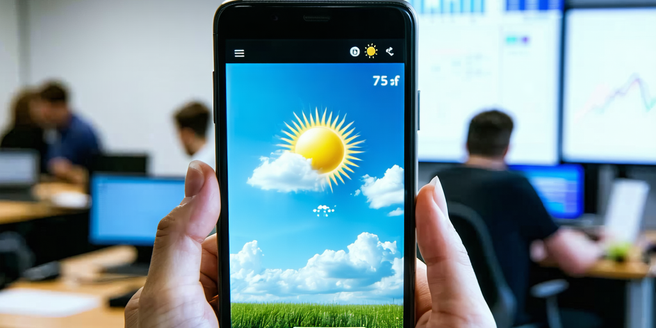
Understanding the Benefits of Weather Widgets
Weather widgets offer quick access to current conditions directly from the home screen. They eliminate the need to open a full app, providing a streamlined overview of temperature, precipitation, and alerts. Widgets make checking the weather convenient and time-efficient, especially for users in a hurry. They also support customization, allowing users to display only the information relevant to their needs. Whether it is checking if you need an umbrella or planning a day out, widgets can significantly enhance a user’s ability to prepare for upcoming weather. Additionally, some widgets offer interactive features that let users toggle between locations or switch forecast hours, adding flexibility and interactivity.
Top Features to Look for in Weather Apps
Selecting a weather app with the right features can make a significant difference. Key features to keep an eye on include real-time weather updates and the inclusion of radar capabilities for tracking storms. The ability to offer detailed forecasts, such as hourly or 10-day predictions, ensures users can plan ahead effectively. Widget functionality is crucial for those needing quick access to weather information from their home screens. Integration with calendar apps can prove beneficial for synchronizing plans with weather conditions. Customizable alerts for severe weather conditions are essential for safety. Additionally, the presence of visual elements such as precipitation maps and sunset times enrich the user experience.
Comparing Popular Weather Apps with Widgets
When comparing weather apps, it is important to consider widget functionality. Apps like AccuWeather and Weather Underground provide robust widget options. AccuWeather features widgets that offer detailed forecasts and weather alerts. Meanwhile, Weather Underground allows for greater customization in both size and data displayed. Another popular option, The Weather Channel app, features widgets that provide a wealth of information at a glance. Each app has unique strengths, such as radar functionality in Dark Sky or Carrot Weather’s engaging interface. By examining their widget offerings, users can determine which app best meets their needs for quick and accessible weather information.
How Weather Widgets Enhance User Experience
Weather widgets are designed to enhance the user experience by providing immediate access to crucial information. Through their ease of use and direct home screen placement, they facilitate an always-on connection to the latest weather updates without requiring app launches. This immediacy is valuable for users who make swift decisions based on weather conditions. Additionally, because widgets can be customized to show specific data, they ensure that users only see what is pertinent. The integration of interactive charts and maps allows users to explore weather patterns, improving engagement. Widgets can simplify complex weather metrics into understandable visuals, making them user-friendly tools.
Customizing Your Weather App Widgets
Customizing a weather app widget allows users to tailor information to their specific needs. Most weather apps with widget capabilities offer a range of customization options, such as altering the data displayed, changing the theme, or adjusting transparency. Users can often select which metrics, like temperature or humidity levels, are visible. Some apps even allow for location-based customization, so the widget reflects the weather of different locales, ideal for frequent travelers or those monitoring conditions in multiple cities. By customizing widgets, users can enhance functionality and ensure that the weather data aligns with their daily routines and preferences.
Troubleshooting Common Widget Issues
Though convenient, widgets can occasionally encounter issues. Common problems include data not updating or the widget not appearing properly. If data is outdated, users should check for app updates or refresh the widget manually. Connectivity issues can also affect widget performance, so ensuring a stable internet connection is vital. When widgets fail to load, restarting the device or removing and re-adding the widget may help. Clearing the app’s cache or granting necessary permissions can resolve persistent issues. Understanding these troubleshooting techniques can help users maintain smooth widget functionality and consistent access to weather updates.